
Land at Changi Airport with Instant Data Using a Singapore eSIM
Luis Rafael•Dec 08, 2025
Landing in Singapore is always exciting, and the fastest way to get online at Changi Airport is by activating a Singapore eSIM before you even step off the plane. With instant data, no roaming fees, and seamless setup, you can navigate, message, and explore from the moment you touch down. Ready to stay connected from arrival to departure? Check flexible Singapore eSIM plans today and start your trip smoothly.
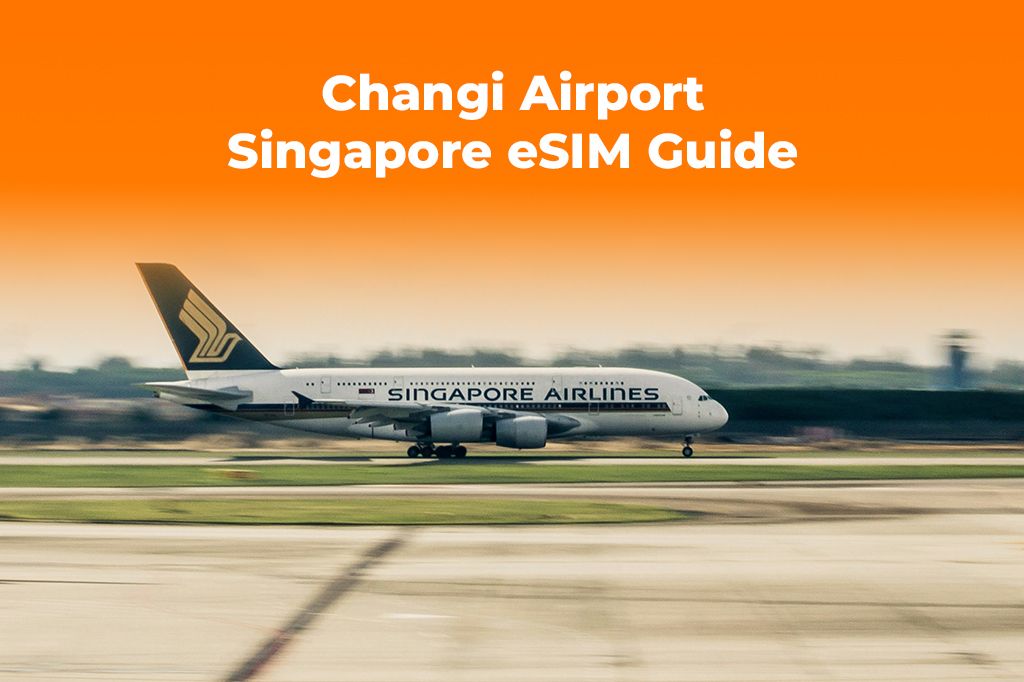
Picture by Goh Rhy Yan on Unsplash
Why You Need Instant Data the Moment You Land at Changi Airport
Singapore is one of the most connected cities in the world, but the moment you land, you’ll still need quick access to mobile data—especially if you’re coordinating transport, finding your hotel, or planning a short layover.
While Changi Airport WiFi is excellent, it still requires short registration steps, can disconnect as you move between terminals, and doesn’t help once you leave the airport. That’s where learning what is an eSIM card becomes essential.
A Singapore eSIM eliminates the hassle of hunting for kiosks, local SIM cards, and roaming settings. Instead, you get data instantly, right on your device, supporting everything from maps to payments to immigration forms.
Here’s why travellers rely on eSIMs instead of depending solely on Changi Airport WiFi:
- Instant data the moment your plane lands
- No physical SIM swapping
- Better security compared to airport hotspots
- Seamless use throughout Singapore
- No surprise roaming fees from your home carrier
Whether you’re here for a weekend getaway, business trip, or a short transit, a Singapore eSIM gives you the most reliable way to get data on arrival.
Benefits of Using a Singapore eSIM When You Arrive
Choosing a Singapore eSIM instead of relying on Changi Airport WiFi or expensive roaming makes your journey smoother and more cost-efficient.
1. Immediate connectivity after landing
No more searching for kiosks, joining queues, or waiting for WiFi verification. With an eSIM, you simply turn on your phone and start navigating.
2. Avoid roaming fees in Singapore
International roaming rates can easily exceed your travel budget. A prepaid eSIM removes all unpredictable charges.
3. Secure connection for payments and personal apps
Airport WiFi is convenient but not ideal for banking apps, digital wallets, or email. A Singapore eSIM provides a secure mobile network connection.
4. Perfect for layovers and short stops
Even if you’re in Singapore for a brief transit, fast data helps you check transport schedules, make last-minute bookings, and explore Jewel Changi or Terminal attractions.
5. Seamless connectivity across Singapore
From Marina Bay Sands to Little India, Sentosa, and the CBD, your eSIM works consistently without needing new plans or settings.
If you want to be fully prepared, you can also explore how Yoho Mobile works and choose the plan that best fits your travel style.
How to Set Up a Singapore eSIM Before You Fly
Getting a Singapore eSIM is straightforward. You’ll complete everything online—no physical SIM, no shipping, no paperwork.
Here’s the breakdown:
-
Check that your phone is eSIM-compatible
Most iPhone models from XS onward and recent Android flagships support eSIM. You can also verify your model on the GSMA device database (external reference: GSMA guidelines). -
Purchase your Singapore eSIM plan
Choose a plan that covers your trip length. Yoho Mobile offers flexible options for short layovers, multi-day stays, or regional travel. -
Receive your QR code instantly
After payment, you’ll receive an installation QR code and instructions via email. -
Install your eSIM
- Go to your phone settings
- Select “Add eSIM” or “Add Mobile Plan”
- Scan the QR code
- Confirm activation
-
Turn on data roaming for the eSIM
Singapore eSIMs require data roaming to be enabled—but don’t worry, you’re not using your home carrier’s roaming. -
Arrive at Changi Airport and connect immediately
Once your plane touches down, your device will automatically activate the eSIM’s mobile data.
Using mobile data at Changi becomes effortless—perfect when you’re coordinating rideshares, downloading offline maps, or sharing updates with family.
Step-by-Step Guide: How to Get Data on Arrival in Singapore
Whether you’re a frequent flyer or a first-time traveler, this step-by-step checklist ensures you have instant connectivity at Changi:
-
Install your Singapore eSIM at home
You can install it anytime before your flight. Activation only happens once you’re actually in Singapore.Why install early?
- No stress on arrival
- Works even if you don’t have WiFi after landing
- Prevents activation issues
-
Disable your home SIM’s data roaming
This avoids accidental roaming fees while your Singapore eSIM handles all connectivity. -
Keep your QR code accessible
Store a copy in your email or offline notes in case you need to reinstall. -
Restart your phone after landing
Changi Airport’s strong network usually picks up instantly, but a quick reboot ensures proper connection. -
Browse, navigate, and enjoy
From booking a Grab ride to checking MRT routes, your Singapore eSIM becomes your all-in-one digital travel tool.
During your trip, if you need more coverage—such as heading to Malaysia for a day trip—you can add a regional plan anytime from the Yoho Mobile store.
Using a Singapore eSIM is one of the most affordable ways to stay connected while travelling. If you’re ready for a smoother arrival experience, you can quickly grab your plan from the Singapore page and enjoy instant data without queues or delays.
Real Traveler Examples: Changi Arrivals Made Simple
Travelers rely on Singapore eSIMs for convenience, security, and speed:
- Layover passengers use eSIMs to explore Jewel Changi, try local food courts, and navigate appointment reminders without searching for WiFi.
- Business travelers connect securely to work apps, access cloud documents, and attend remote meetings even before clearing immigration.
- Digital nomads use mobile data across cafes, coworking spaces, and the MRT system without worrying about signal drops.
- Vacationers rely on eSIMs to upload photos, plan sightseeing routes, and use Google Maps without interruption.
These real scenarios prove that avoiding roaming fees in Singapore while getting instant connectivity is now easier than ever.
Key Takeaways
- Changi Airport WiFi is useful, but a Singapore eSIM provides faster, more secure connectivity.
- Installing your eSIM before departure ensures immediate data on arrival.
- You avoid roaming fees in Singapore with prepaid eSIM plans.
- Perfect for layovers, business trips, and first-time travelers.
- Works seamlessly with digital payments, rideshares, and navigation apps.

FAQs About Using a Singapore eSIM at Changi Airport
Is Changi Airport WiFi enough for travelers?
It’s convenient but not ideal for navigation, payments, or tasks requiring stable, secure mobile data.
Can I install my Singapore eSIM at the airport?
Yes—but installing it before your flight is far easier and doesn’t require WiFi on arrival.
Will I still need a physical SIM in Singapore?
No. A Singapore eSIM works entirely digitally and replaces the need for a physical card.
Does the eSIM activate immediately after purchase?
No. Activation happens only when you arrive in Singapore, helping you avoid early data usage.
What if my phone doesn’t support eSIM?
You can check compatibility on GSMA device listings or your manufacturer’s website.
Conclusion
Getting mobile data at Changi Airport has never been easier, and a Singapore eSIM ensures you’re connected the moment you land—without roaming fees or hassle. To make your arrival smooth and stress-free, pick up a Singapore eSIM from Yoho Mobile and enjoy instant connectivity throughout your visit.